

Burp Suite Extension
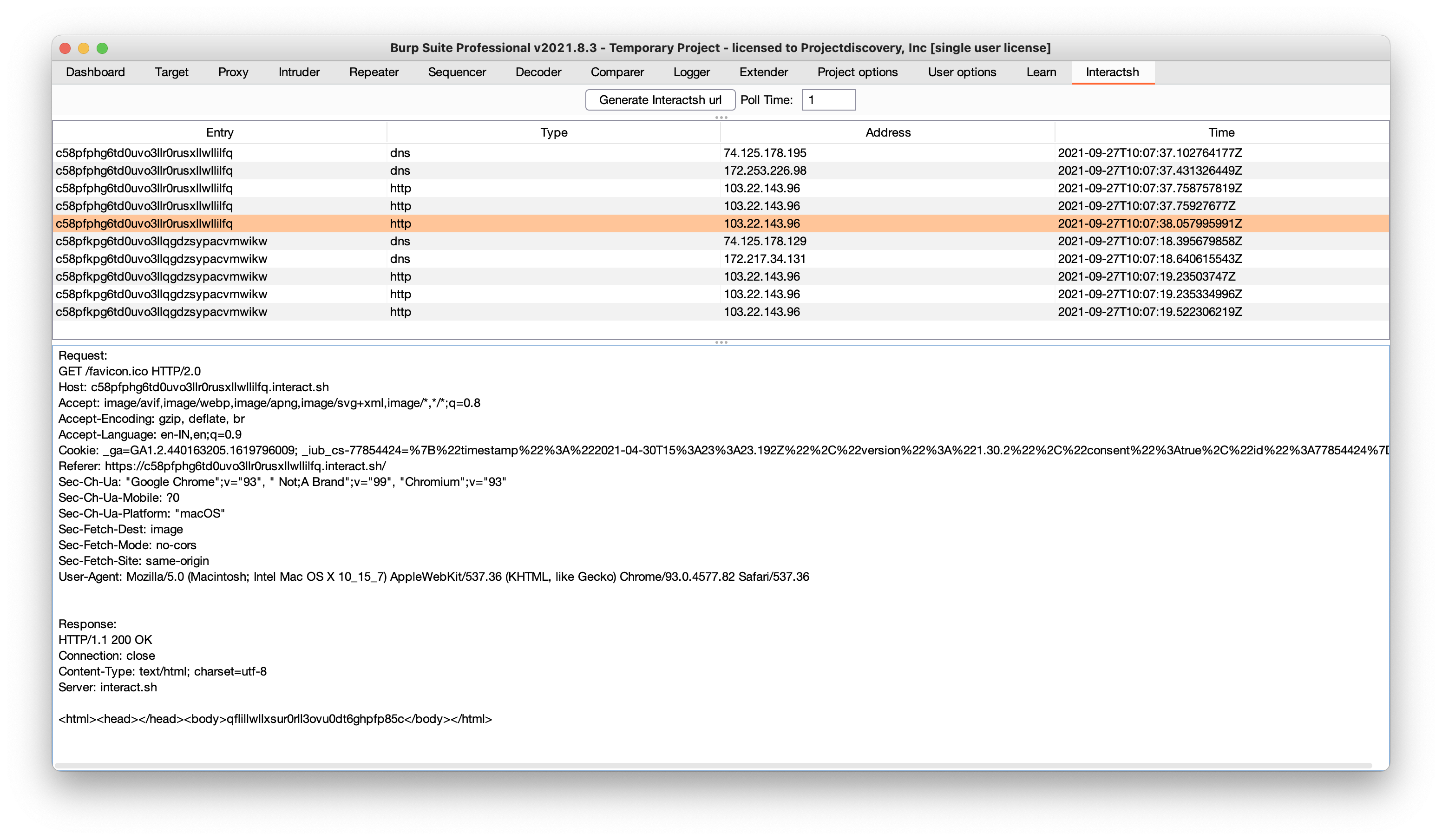
interactsh-collaborator is Burp Suite extension developed and maintained by @wdahlenb- Download latest JAR file from releases page.
- Open Burp Suite → Extender → Add → Java → Select JAR file → Next
- New tab named Interactsh will be appeared upon successful installation.
- See the interactsh-collaborator project for more info.
ZAP Add-On
Interactsh can be used with OWASP ZAP via the OAST add-on for ZAP. With ZAP’s scripting capabilities, you can create powerful out-of-band scan rules that leverage Interactsh’s features. A standalone script template has been provided as an example (it is added automatically when you install the add-on).- Install the OAST add-on from the ZAP Marketplace.
- Go to Tools → Options → OAST and select Interactsh.
- Configure the options for the client and click on “New Payload” to generate a new payload.
- OOB interactions will appear in the OAST Tab and you can click on any of them to view the full request and response.
- You can set Interactsh as the default for ActiveScan in the
Options>OAST>Generalmenu. - When checking the
Use Permanent Databaseoption, you can review interactions that occurred after ZAP was terminated. - See the OAST add-on documentation for more info.
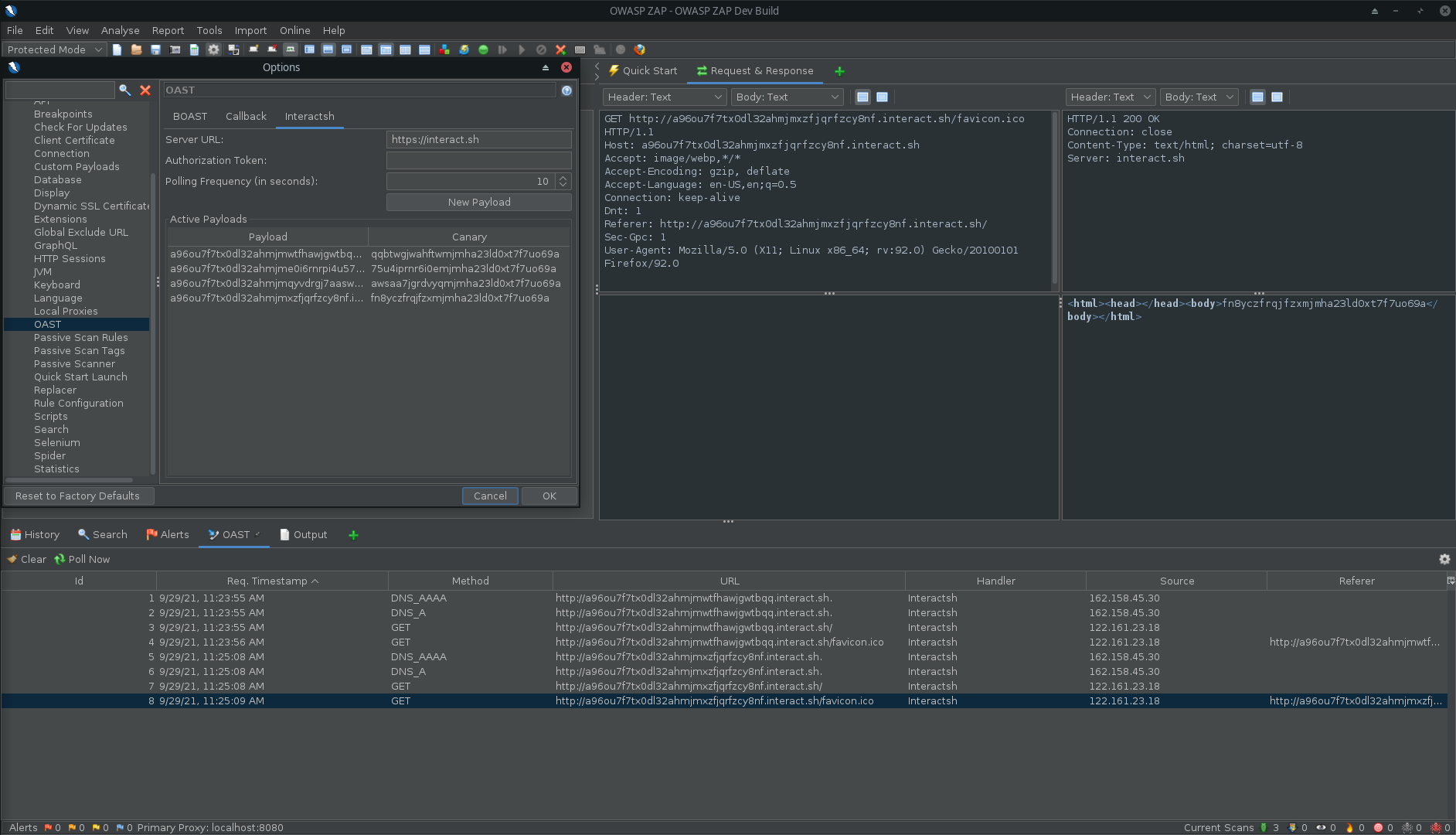 Interactsh in ZAP